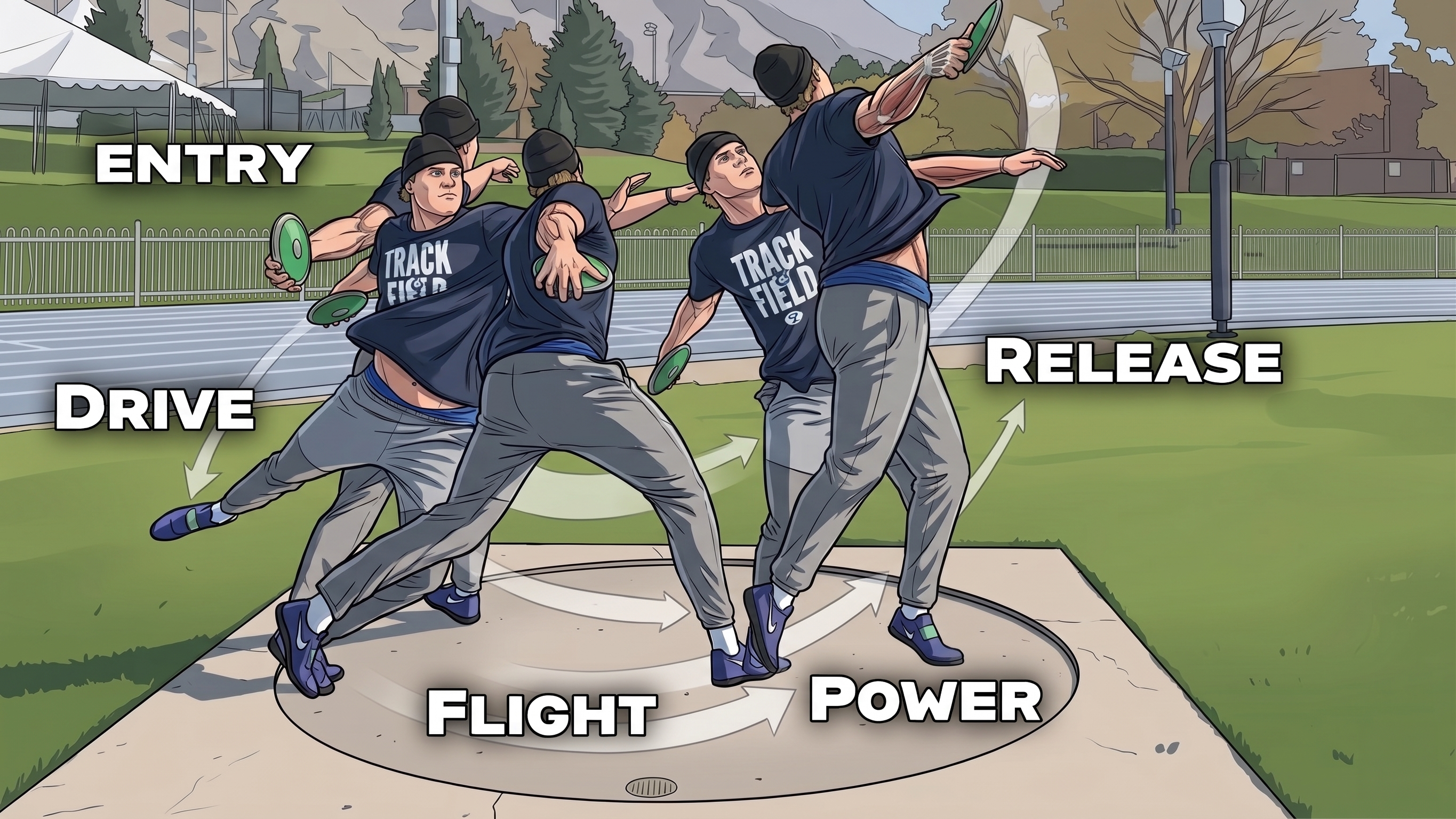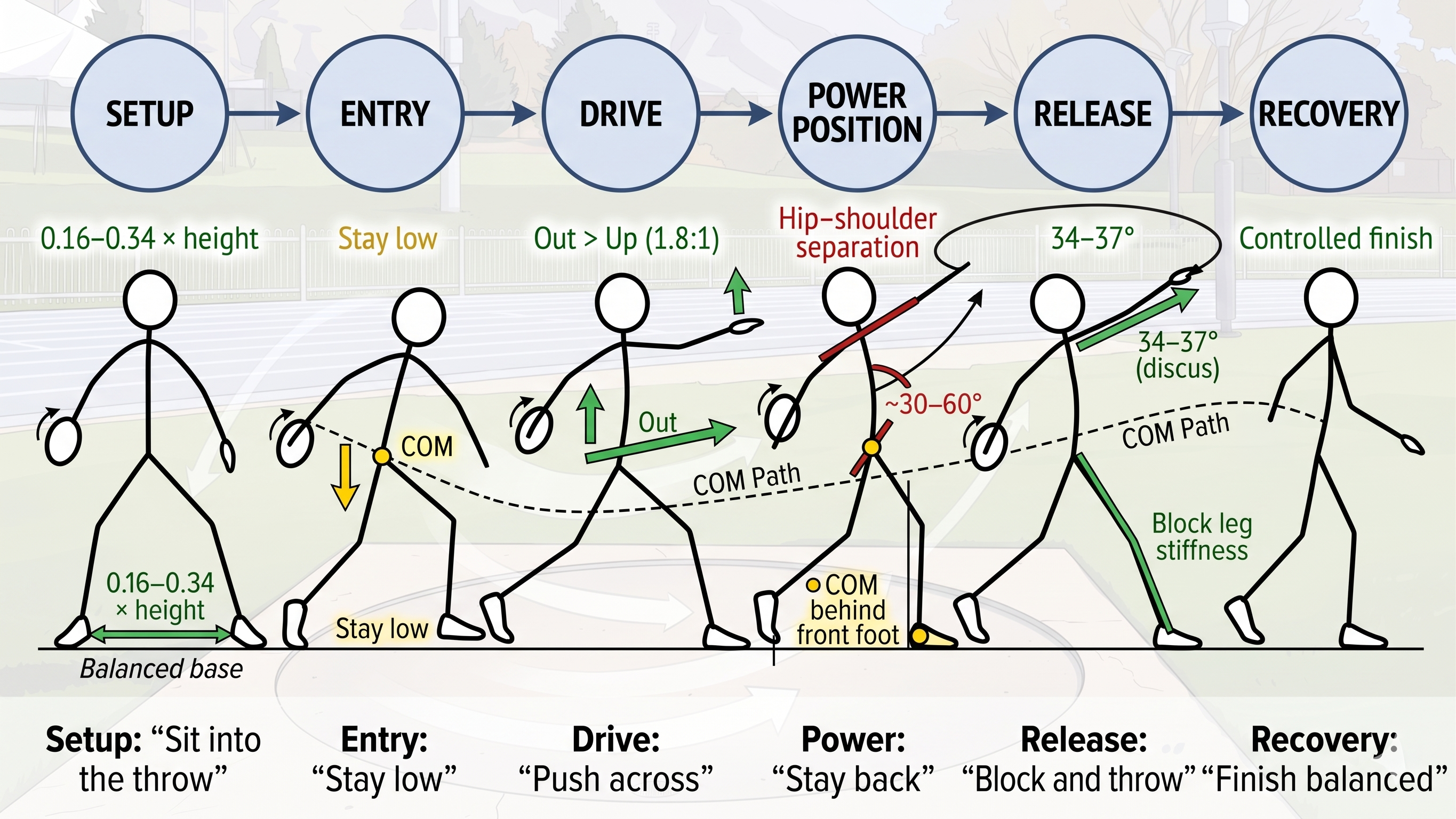
Part 1: Record The Throw
Clean discus footage is what makes the phase frames and coaching cues usable.
- Record one rotational throw per clip. Start before setup and keep recording through the reverse and finish.
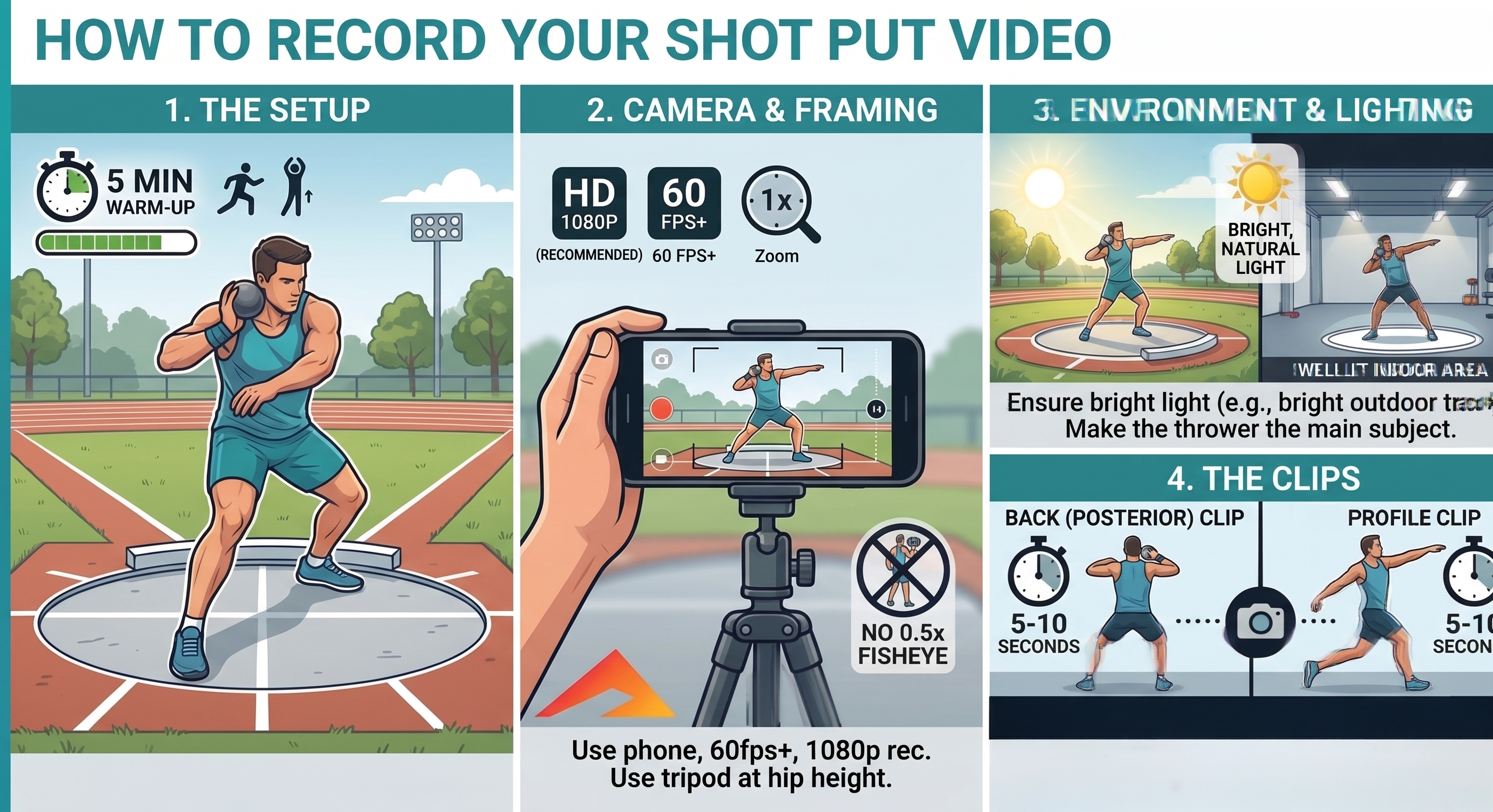
- Use a slightly open side or rear-quarter ring view. The app needs to see both hips and shoulders clearly.
- Keep the full athlete and discus in frame. Do not crop the feet, arm path, release, or recovery.
- Film at 1080p minimum and 60 fps if possible. Higher frame rate gives cleaner phase locks and release-path reads.
- Set the camera around chest-to-shoulder height. Keep it stable and use bright light with a clean background.
Keep the same view, height, and distance every session. Consistent filming makes the next report much more useful.